Split it any way you like
Equally, by exact amounts, by percentage, by shares, or item by item off the receipt — with tax and tip spread across everyone. Several people can pay for the same bill.
Splitzy keeps track of who paid for what on trips, in flatshares and over dinner — then tells everyone exactly who owes whom, down to the last rupee.
Free to use · no card details, ever · your data is never sold · see how it works
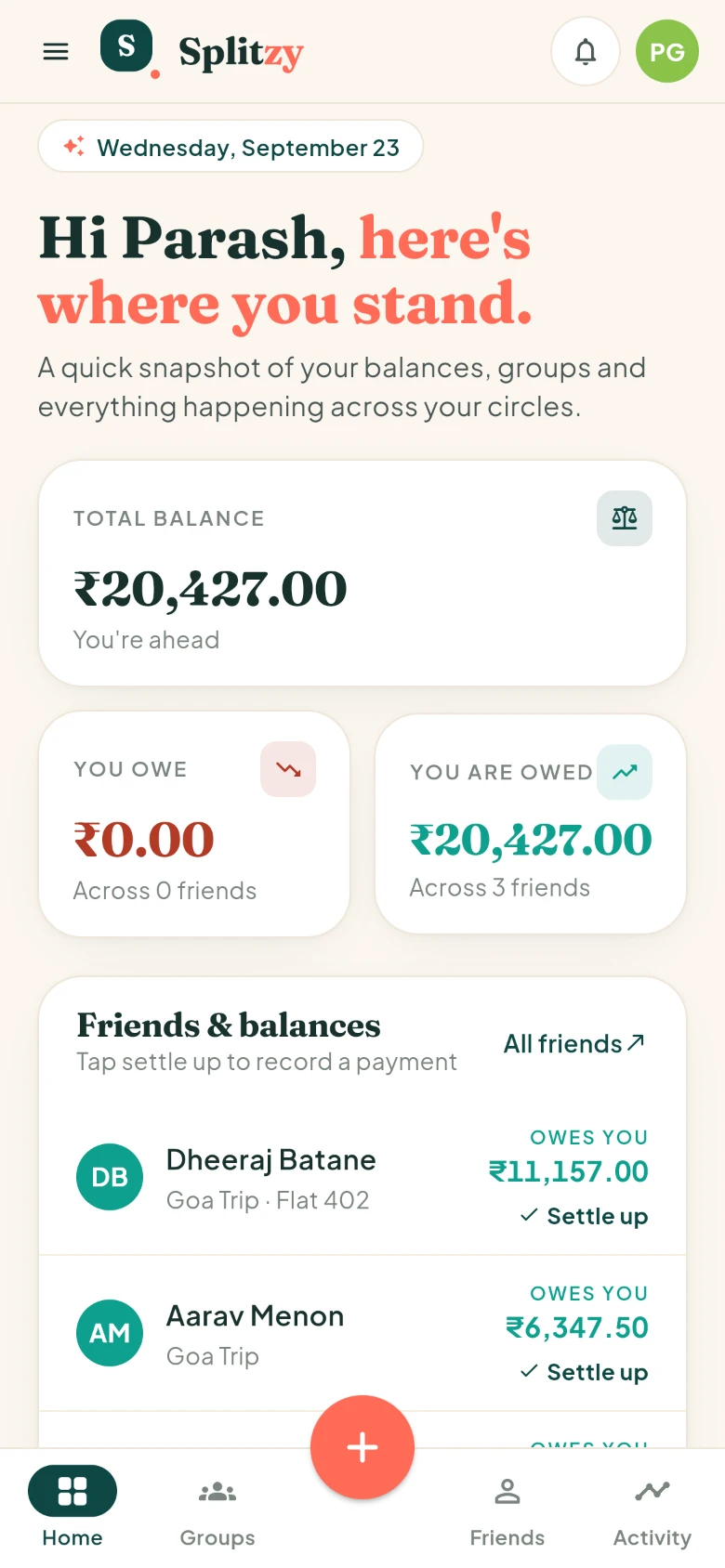
No mock-ups — these are screens from Splitzy, exactly as they look on a phone.
Total balance, what you owe, what you are owed, and every friend in one list.
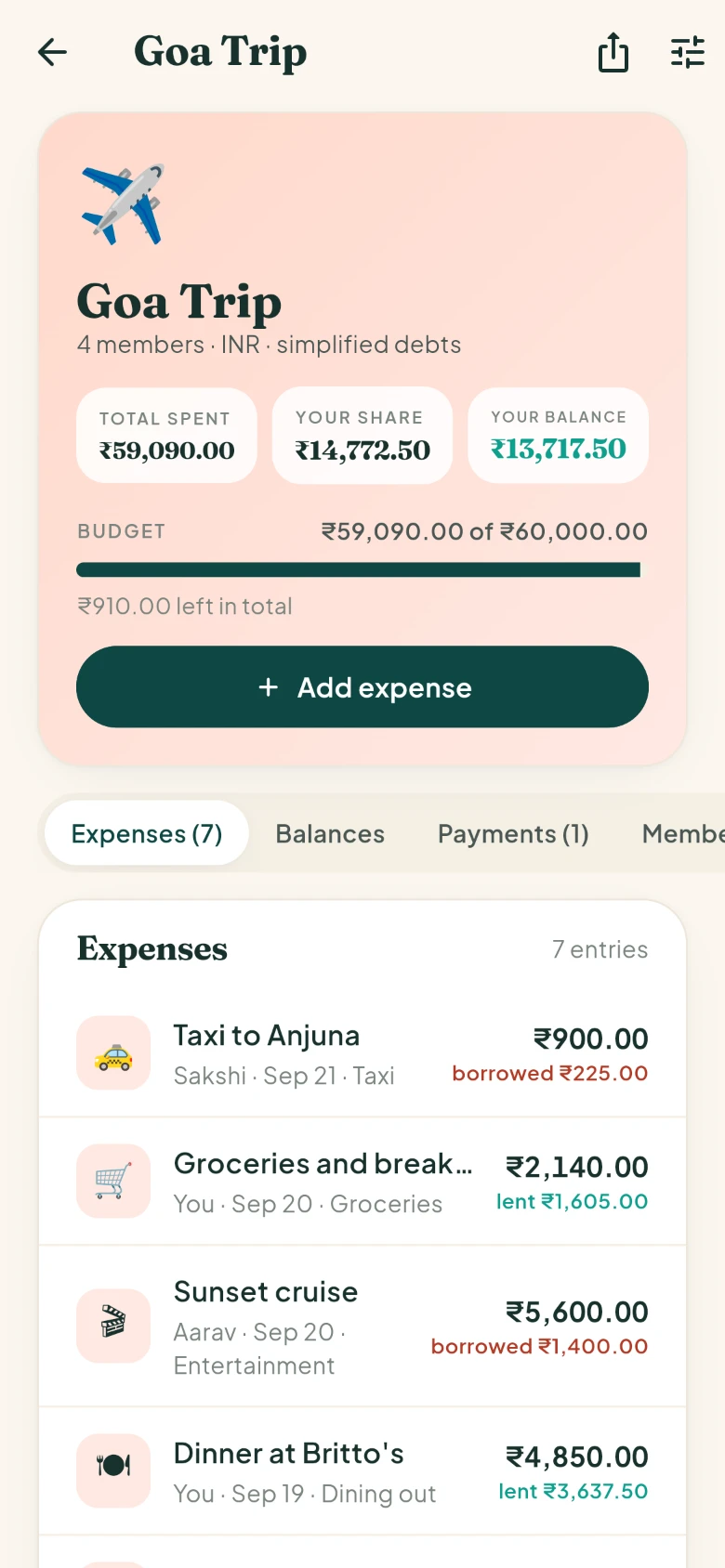
Spend, your share, your balance and the budget bar — then every expense beneath.
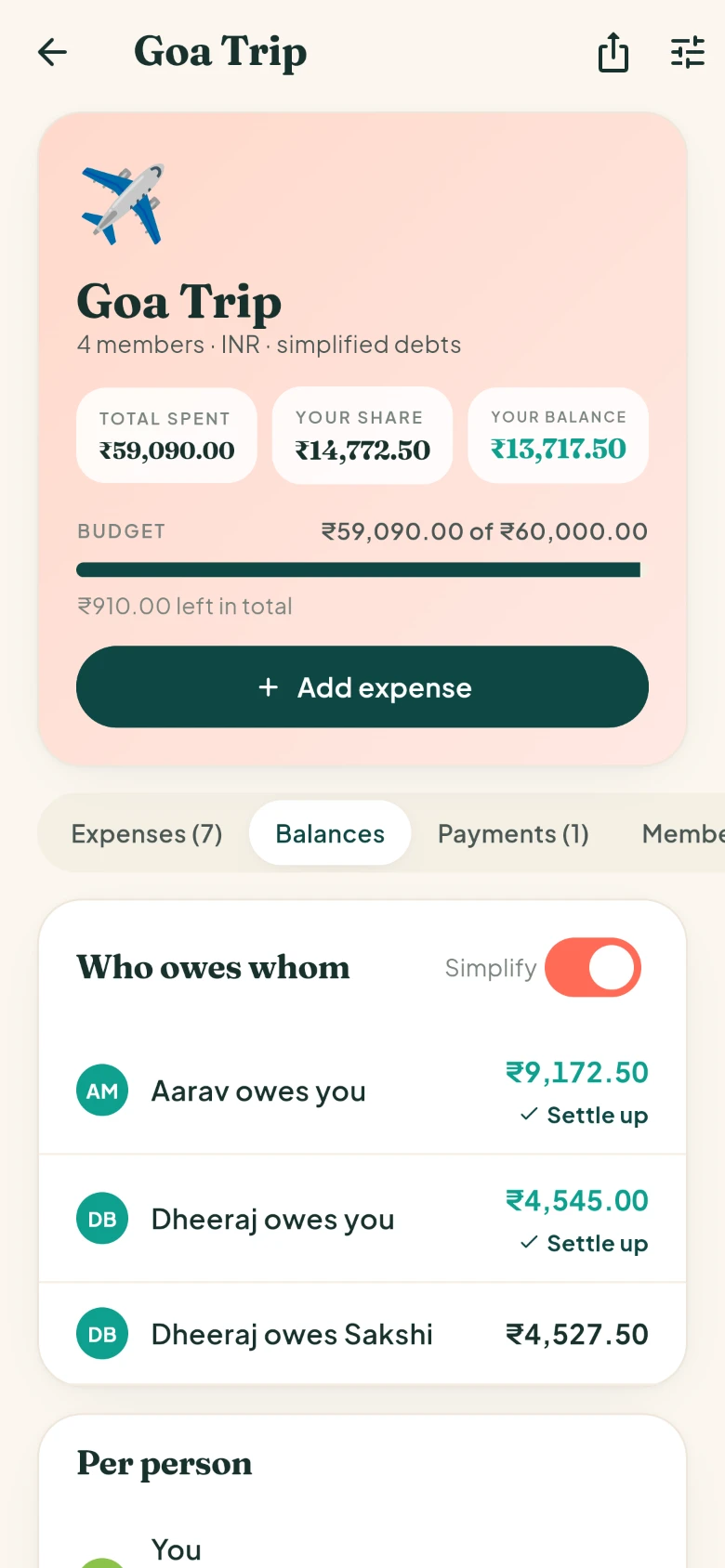
Simplify debts and four people settle in two payments instead of six.
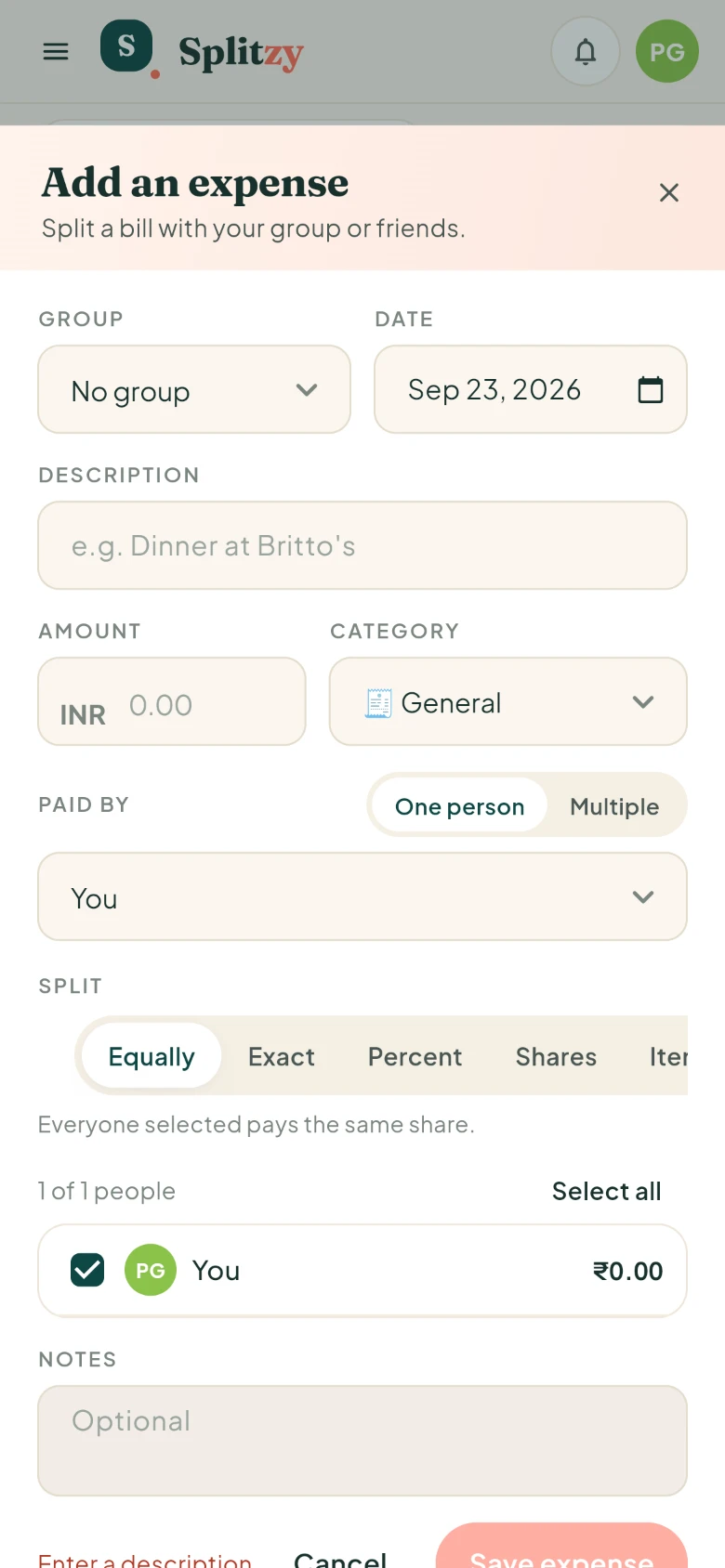
Pick the group, the amount and how it splits. The preview updates as you type.
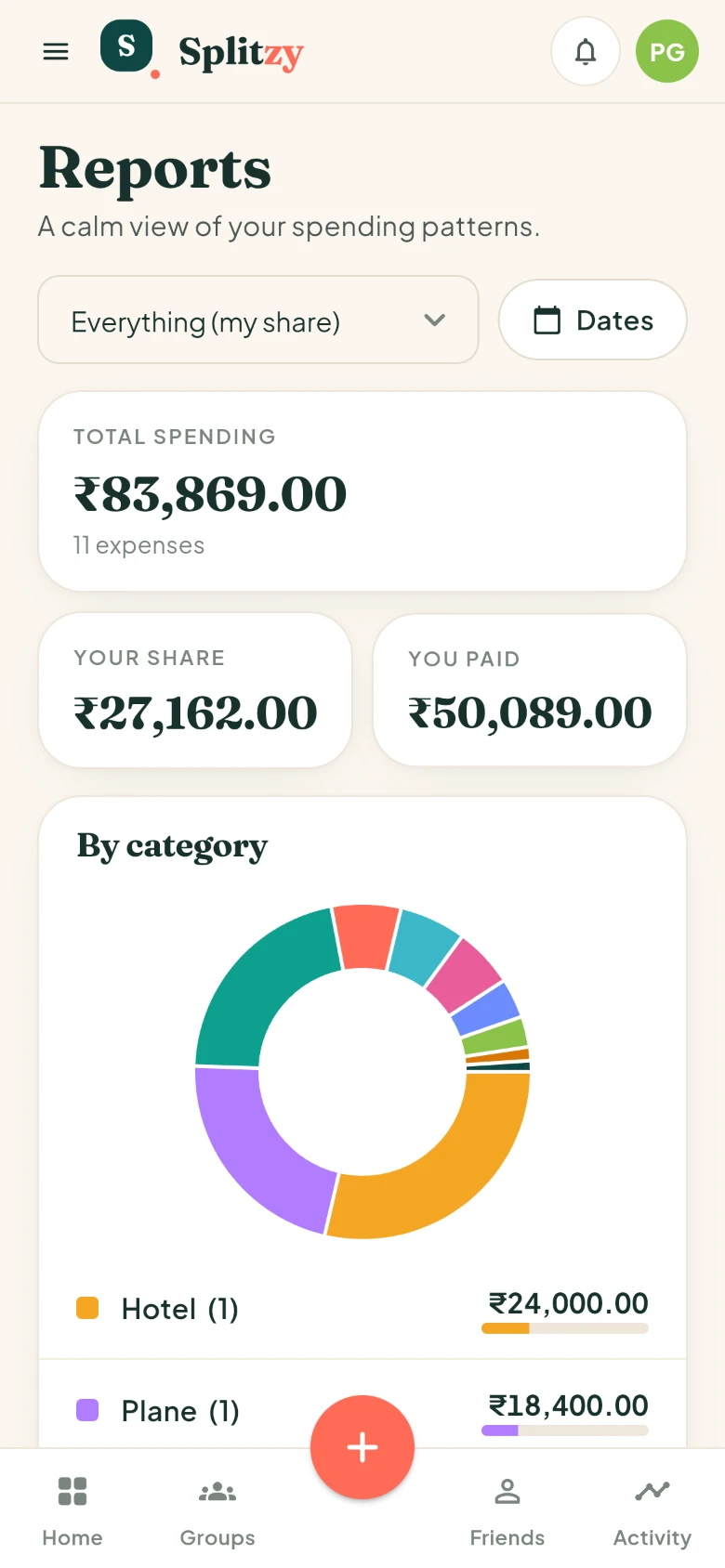
By category, by month and by person, for one group or everything at once.
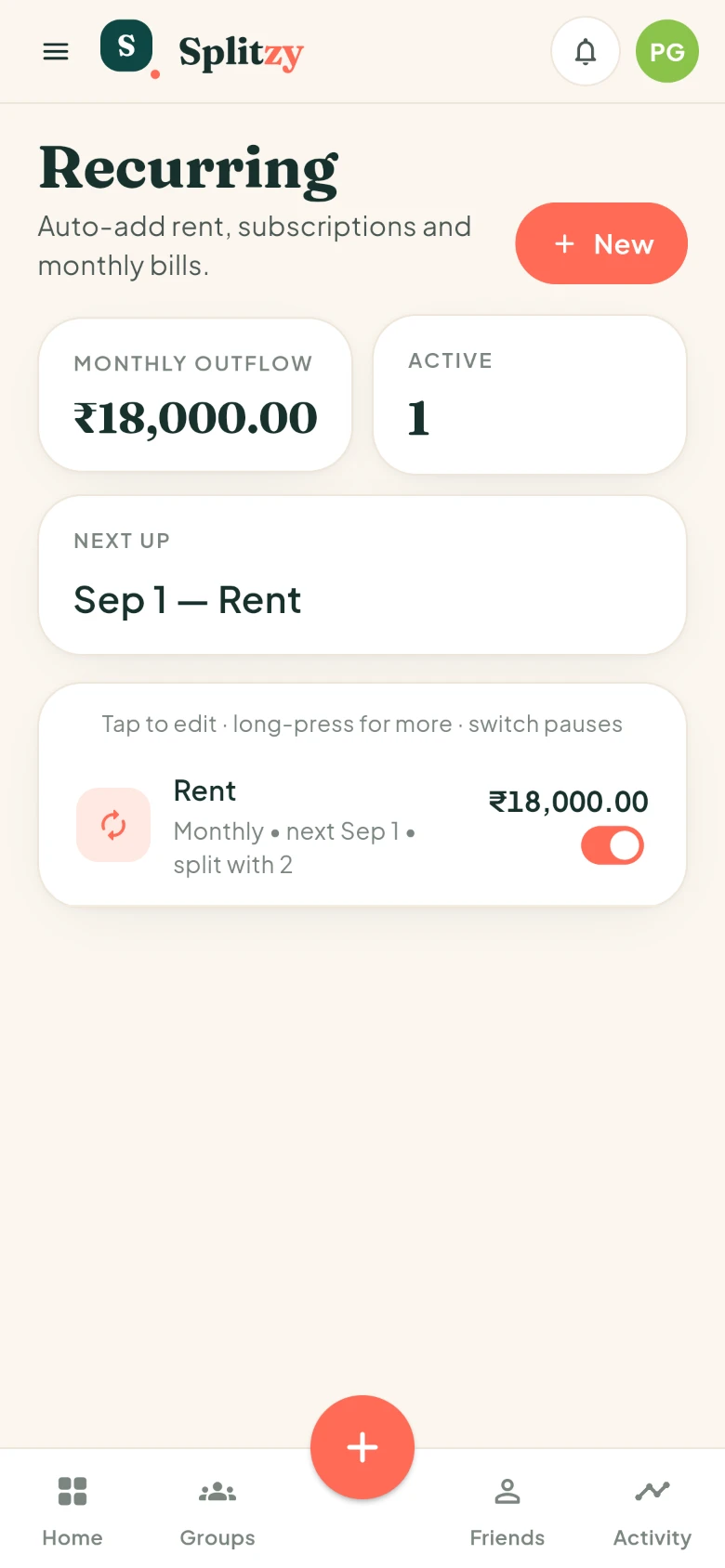
Rent, internet, subscriptions — set the rule once and stop thinking about it.
Splitzy handles the arithmetic and the awkward bit — remembering who paid last time.
Equally, by exact amounts, by percentage, by shares, or item by item off the receipt — with tax and tip spread across everyone. Several people can pay for the same bill.
A trip, a flat, a couple, a one-off dinner. Invite people by email, a shareable link or a QR code. Everyone sees the same numbers.
See who owes whom at a glance, and let Splitzy simplify the debts so three people settle with two payments instead of six.
Write down the taxi fare in a tunnel or on a flight. Your expenses, balances and budgets update straight away and reach the server when you are back online.
Give a trip or a flatshare a cap — monthly or for the whole trip — and watch the bar fill as the group spends. It turns red before the surprise does.
Record a hotel in dollars inside a rupee trip. Every total, balance and budget is converted, so the numbers actually add up.
Rent, internet, the streaming subscription. Set it once and the expense appears each month, split the way you chose.
Where the money went, by category, by month and by person — for one group or everything at once. Export to CSV whenever you like.
A notification when someone adds an expense you are part of or records a payment, and an optional weekly nudge when you owe someone. Both switch off in one tap.
A ₹4,800 dinner for four, divided five different ways. Tap through them.
The default. Four people, one bill, four equal shares.
The whole point is to spend less time on the spreadsheet than on the trip.
Name the trip or the flat, pick a currency, and invite the others with a link — they do not need the app to accept.
Snap the receipt, choose how it splits, and get on with your evening. Splitzy does the arithmetic while you order the next round.
When it is time to square up, Splitzy works out the fewest payments that clear everyone, and you record them as they happen.
Same app, four very different kinds of mess.
One person books the villa, another pays for petrol, everyone eats. Splitzy keeps score until the airport goodbye.
Rent, power, internet, the weekly shop. Set the recurring ones once and settle the rest each month.
Split the big things, keep the small ones off the ledger, and never do mental arithmetic at the till again.
Six people, one card, a messy receipt. Split it by item and send everyone their number before dessert.
Most expense apps go blank without a connection. Splitzy keeps working: your data is on the phone, and anything you add is counted straight away.
Splitzy earns nothing from your spending habits, because it does not look at them.
The app carries no advertising SDK and no analytics tracker. Nothing about your spending is sold or shared.
An expense is visible to the people you shared it with and nobody else.
Splitzy never touches a payment. No card details, no wallet, no fees — just a record of who owes what.
No. Splitzy is a record of who owes what — you settle up however you already do, by bank transfer, UPI or cash, and then mark it as paid. We never hold your money and we never ask for card details.
To see the group and their own balance, yes — but joining takes a moment through the invitation link, and you can add expenses on their behalf before they do.
It is saved on your phone and shown straight away, marked as waiting to sync, with your balances and budgets already updated. When the phone finds a network it goes to the server by itself. If the server refuses it — say the group was deleted while you were away — Splitzy tells you and keeps what you typed, so nothing is lost quietly.
Yes. Each expense keeps the currency it was paid in, and the group totals, balances and budget are converted into the group currency using the rate for that day.
Only the people in the group you added them to, or the friend you shared them with. Nobody else — and we do not sell data or run advertising trackers.
Nothing today. Splitzy is a personal project rather than a venture-backed one, and everything described on this page is free to use.
Start a group, add the first expense, and let Splitzy remember the rest.